Tuesday, February 16, 2021

Discovery Education: Virtual Field Trips

 Discovery Education: Virtual Field Trips


        Discovery Education has some awesome Virtual Field Trips available. Just click on the link above and log in with your district Google account then choose your grade level. 


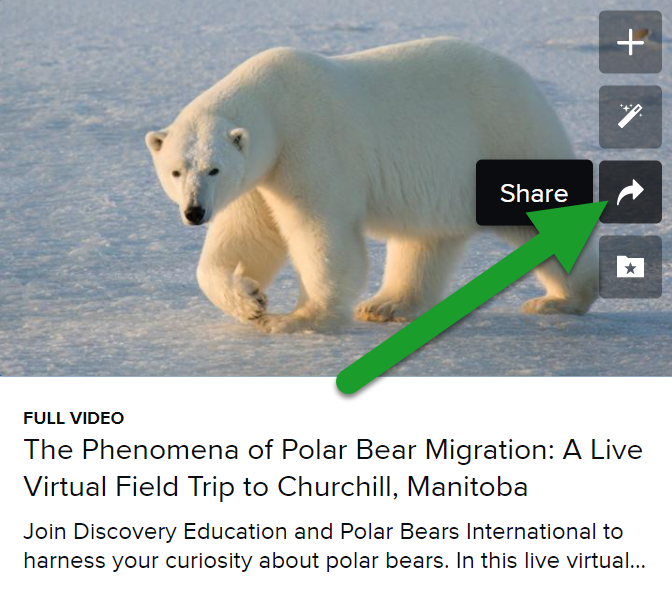
Then choose the Virtual Field Trip and share it. Click on the "i" in the top right of the Virtual Field Trip, click Share, then choose how you wish to share it.


Let us know which Virtual Field Trip you are taking in the comments below. 


Tuesday, February 9, 2021

Resource Roundup: Black History Month Resources

 Resource Roundup: Black History Month Resources


Google Arts & Culture Resources

Google Arts & Culture has a wealth of Black History resources including historical, video, and artistic resources to help teach about Black History.

Pear Deck Resources

Pear Deck has downloadable Pear Decks for Misty Copeland (ballerina), Amanda Gorman (poet laureate) as well as a pop culture & arts Pear Deck. There are also a variety of relevant Newsela Pear Decks available. 

Seesaw Resources

Seesaw shares 30 interactive Black History Month activities, but feel free to search the Seesaw Community Activity Library for more activities. I especially like this activity that has scholars create a video reaction to BHM read alouds (all read alouds have been unblocked). 

20 Resources from PBS

PBS curates 20 resources (most including lesson plans) that address subjects in Black History from the Civil Rights era to recent history.


33 Resources from We Are Teachers

We Are Teachers shares 33 resources for Black History Month activities. Granted not all will work for Remote Learning (door decorating), but I am loving the idea of a Living Museum using the Spotlight feature in Zoom. 

Science BHM Resources from ScienceNetLinks


Science lessons from ScienceNetLink that are interesting, but not most resources are geared towards 6th grade and beyond.

BHM Resources from Facing History and Ourselves

Teaching ideas, history video lessons, and webinar opportunities for teachers interested in teaching about Black History.

Celebrating Black History with Discovery Education


Discovery Education has many Black History resources, videos, activities and images. Just log in with your district Google account.

African American Experiences


Discovery Education has numerous video and activity resources relating to the African American experience as it relates to History, Culture, and Politics. Log in with your district Google account.

Do you have other resources for Black History Month? If so, please share them in the comments below. 


Making your Google life easier with Labels

Cartoon person coming out of an envelope
 Communication today is done the majority of the time in email form. One thing that is very time-consuming is adding each contact individually when you are emailing a large number of people. However, Labels in Gmail allows you to create a contact list of people that you email regularly without having to add each one individually. It is a game-changer for saving time. Whether you are a teacher emailing a group of students, a secretary that is emailing your building staff, or a department emailing a special set of staff, labels will save you time. Check out the video on how to create a contact list using labels in Gmail!
But Wait!
The one sad part of labels is that you cannot share them.  I know Google is king in the sharing world and they couldn't figure this out? 
Bitmoji  saying wait for it

However
, you can export them to someone and they can import the list. So, you can share with just a few more steps! 
Watch the video to export your labels. 

Watch the video to import the contact list. 


Friday, February 5, 2021

Resource Roundup: Celebrate Valentine's Day Remotely

 Resource Roundup: Celebrate Valentine's Day Remotely

love letter

SlidesMania Valentine's Day Google Slides Template

This is a great free Google Slides template that can be used in a variety of ways. Use it to organize your daily activities. Or have a different fun activity linked under each candy for scholars to enjoy. Or use it as a collaborative template with one slide for each scholar so scholars can put Valentine's well wishes for each other within the Slides. However you decide to use it, it is sure to be a hit. 

Jamboard Template for Class Valentine's Day Cards

Grab a copy of this Jamboard created by Megan Venezia (@venezia_megan on Twitter). Click here to open the Jamboard then click on the three dots to the left of Share and click Make a Copy to create your own editable copy to use with your class. 
This Jamboard template was designed to allow scholars to share Valentine's messages with each other. 
If you have more scholars than the Jamboard has premade, you can watch the screencast here made by Megan Venezia explaining how to expand it to suit your class size. 

Share the Valentine's Love on Flipgrid


Use custom Valentine's Frames to have scholars create Flipgrid Valentine's for each other or for their families (or both). Easily share any Flipgrid Valentine's for families through Remind. Scholars can use Emojis to create their own custom Flipgrid Valentine's frame. Or teachers can create their own custom Flipgrid frames using directions shared by @theMerrillsEDU. Here are some transparent PNG Valentine's frames I made with a free Canva for Education account and a free Adobe Spark for Education Account that you can attach to your Flipgrid assignment for scholars to use. I made the frames 1600 X 900 pixels as mentioned in this article. 


Seesaw Virtual Valentine Ideas

Resources from a Seesaw webinar that include K-5 Seesaw activity links for virtual Valentine's activities.

Be My Remote Valentine Jamboard


Julia Dweck (@GiftedTawk on Twitter) has created another version of the Jamboard Class Valentine that involves scholars screenshotting and pasting Valentine elements. To screenshot on a Chromebook, scholars will do the following:


Do you have other ideas for how to celebrate Valentine's Day remotely with your class? If so, share them in the comments below. 


Sunday, December 20, 2020

Resource Roundup: Game Ideas for Zoom


Party Time Resource Roundup: 

Game Ideas for Zoom

    Need a fun game to use as an incentive in class? Need something fun to do with your scholars, friends, or family at your next Virtual Holiday Party? If so, here are some great resources for you!

FREE Virtual Game Options

  1. 7 Great Game Ideas for Zoom from Meredith Akers        This blog post includes ideas for Scattergories, 5 Second Rule, Boggle, Pictionary, Charades, Taboo & more!

  2. Play Candy Land, Chutes & Ladders, & Memory  
    This site includes the option to play Candy Land, Chutes & Ladders, or Memory. Here is a video that explains the ins & outs of how to play. 
  3. Play Things...  
     Play the original or the holiday version. Choose a topic, players answer then take turns guessing who answered what to earn points. 

  4. Google Quick Draw  
      Use Zoom annotation to take turns trying to get the A.I. to recognize your drawing within 20 seconds. 

  5. PlayingCards.io  
      Play games like Checkers, Chess, Backgammon, 500, Crazy Eights, Hearts, Go Fish & more.

  6. Rummikub  
     Play the classic Rummikub tile game and create runs of sequential same colored number tiles, sets of same numbered but different colored number tiles, etc. 

  7. Jigsawpuzzles.io 
      Work together to complete a jigsaw puzzle.

  8. Party Trivia 
     A random trivia generator for all your party needs. 

  9. Just Dance Now  
      Free Dance Party. Does require a smart phone to collect points/earn a score.

  10. Bingo 
     Click the link above to generate a random Bingo card, then click here to start calling your BINGO game. 

  11. Papergames.io   
    Play Battleship, Tic Tac Toe, Connect 4 or Gomoku.
  12. Uno   
      Play Uno with 2-4 players. 

  13. Broken Picture Phone   
       Like the game of Telephone, but using drawings. Each player can only see the drawing immediately before. At the end, view the progression of drawings. 

  14. Skribbl.io 
       When its your turn to draw, you will have to choose a word from three options and draw that word in 80 seconds. When somebody else is drawing you will type your guess into the chat to earn points.
  15. Boardgame Arena 
        Play a variety of free boardgames.

  16. Codenames    
       
    Two teams compete by each having a "spymaster" give one-word clues that can point to multiple words on the board. The other players on the team attempt to guess their team's words while avoiding the words of the other team. 
  17. 20 Teacher Zoom Game Ideas   
     Twenty easy and fee teacher Zoom game ideas such as placing items on a tray and giving students a set amount of time to look at it and then write down everything they remember. 

  18. Zoomjam   
      Zoomjam was a competition to find the best Zoom game and the winner is Class President, which is a competition to become a high school class president. Play the winning game and the runners up for free. 

Virtual Game Options That Cost $

  1. Jackbox Games    
      Purchase single games or game bundles to play virtually on Zoom.

  2. Tabletopia  
     Tabletopia has a free version which does not contain premium games and also a paid option.
  3. Tabletop Simulator   
       Creat your own original game or play community created games like Dominoes and Mahjong. NOTE: Each player must purchase Tabletop Simulator. 


Friday, December 18, 2020

How to keep up with work in Google Classroom

Cartoon shrugging shoulders Are you and your students having issues keeping up with work in Google Classroom?

Google has given you a couple ways to keep up with the work you have given and what you need to grade. Teachers, there is a wonderful 'To Review' where you can click on to find the work that needs to be graded. Check out the video to see how easy it can be! 

Students can click the 'To Do' and choose the class to view assignments they need to complete.